Authority reference
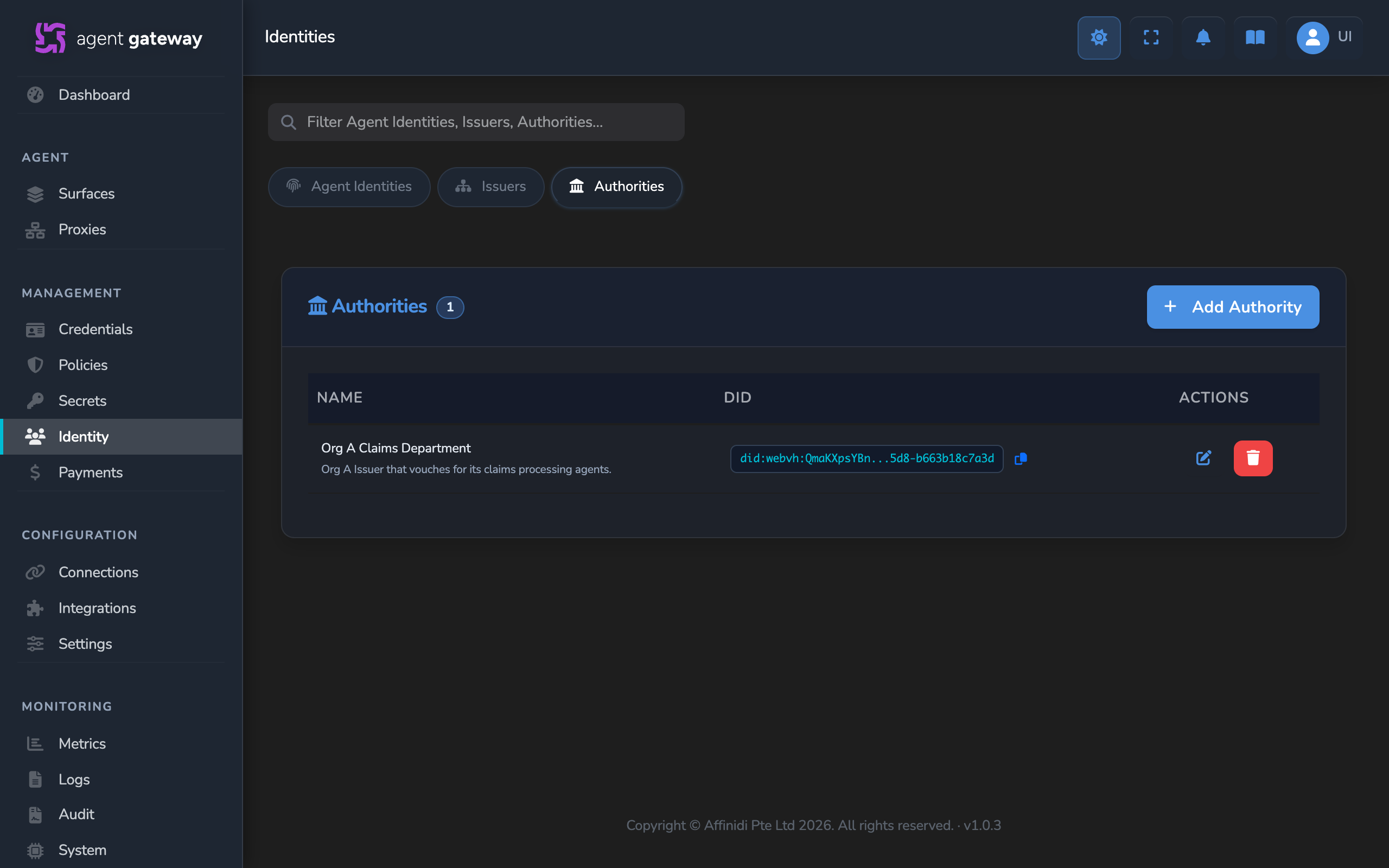
An Authority is an outside organisation’s DID that your gateway trusts as a trust anchor: a Trust Check asks the trust registry whether that DID recognises or authorises an agent or an Issuer. Authorities are kept on the Authorities tab of the Identities page, which is Identity in the sidebar. They are this gateway’s own register: adding an Authority writes nothing to a trust registry.
Use an Authority as a trust anchor:
- In a Trust Check, as the Authority ID of a query, to ask the trust registry whether that organisation recognises or authorises an agent.
- In a Trust Recorder entry, as the Authority of the records it writes.
When the gateway writes records with an Authority’s DID, it also publishes the Authority’s name to the trust registry, so the registry can show it.
For conceptual background, see Trust registries.
Adding an Authority
Before you start
| You need | Where it comes from |
|---|---|
| The organisation’s DID | The other organisation. To check agents from another gateway, use the DID of the Issuer that organisation registered in the shared trust registry. It cannot be changed later. |
| A role that can manage Authorities | Administrator, by default. |
Steps
- Select Identity in the sidebar, open the Authorities tab, and select Add Authority.
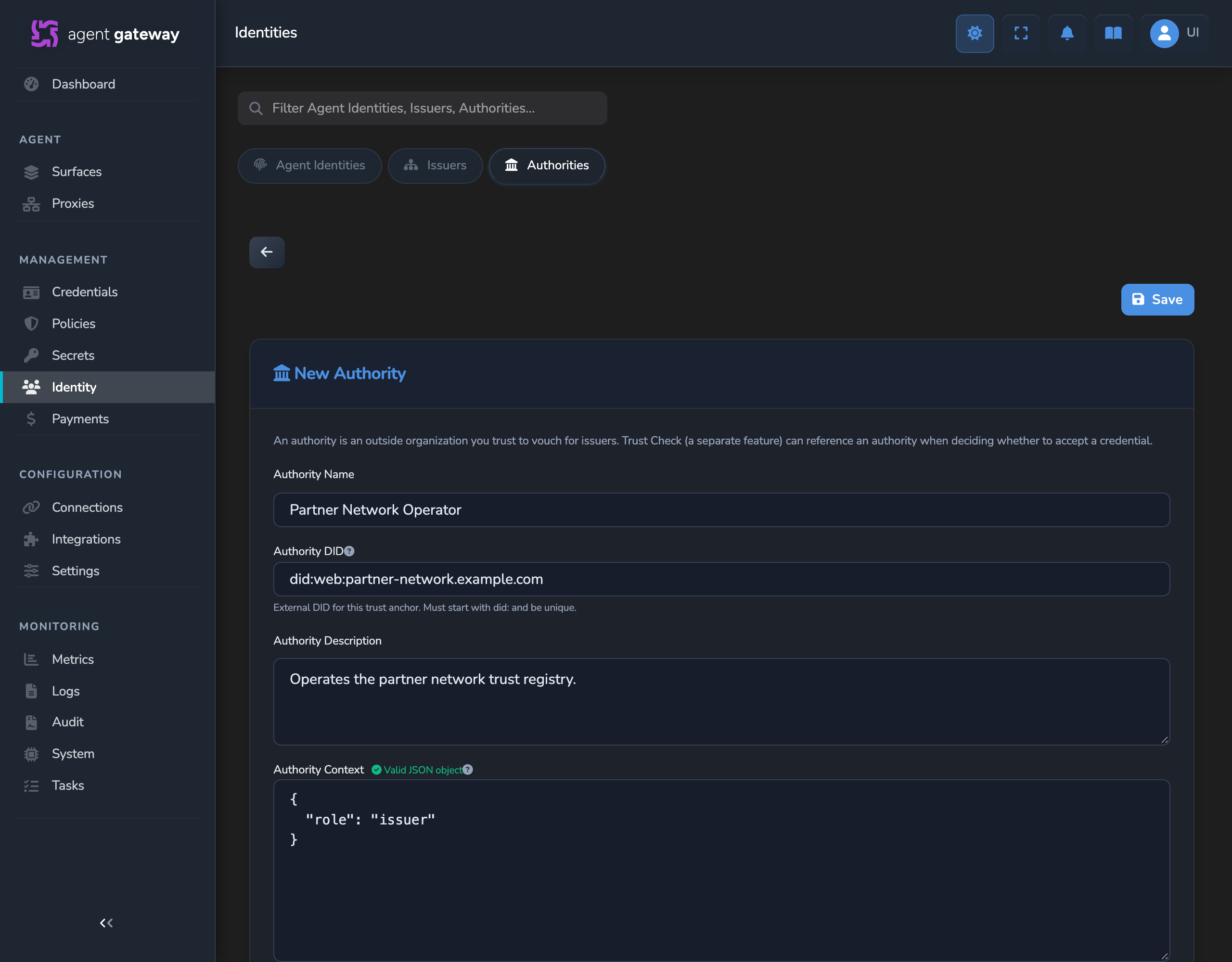
- Enter an Authority Name and the Authority DID, then select Save. Authority Description and Authority Context are optional.
- Open a Trust Check query or a Trust Recorder entry. The Authority now appears in its Authority ID or Authority list.
What to do next
- Add a Trust Check that uses the Authority as its Authority ID.
- Add a Trust Recorder entry that records agents under the Authority.
- Verify agents across organisations with a trust registry for the whole setup, from the other organisation registering its Issuer to a passing check.
Fields
| Field | Required | Editable | Description |
|---|---|---|---|
| Authority Name | Yes | Yes | Display name, shown in the Trust Check and Trust Recorder lists and published to the trust registry with records that use this Authority. |
| Authority DID | Yes | No | The organisation’s DID, the identifier that anchors trust to it. It must start with did: and be unique on this gateway. |
| Authority Description | No | Yes | Free-text description. |
| Authority Context | No | Yes | A JSON object of extra properties, such as {"role": "issuer"}, stored with the Authority. The editor confirms Valid JSON object or shows the parsing error. In this version, the gateway stores it for reference only. |
| Created / Last updated | — | No | Shown when you open an existing Authority. |
Actions
| Action | Available when | Description |
|---|---|---|
| Save | Always. | Creates the Authority, or saves your changes to an existing one. |
| Delete (trash icon) | You open an existing Authority. | Removes the Authority from this gateway’s register. Select it twice: the first click asks “Click again to confirm deletion”. Trust Checks and Trust Recorder entries that use its DID keep the DID. |
Related
- Issuer reference: The Issuers of your own organisation, registered with a trust registry.
- Trust registry reference: Connect the trust registry that Trust Checks query.
- Agent validation via a trust registry: Configure Trust Check queries and the policy that enforces them.
Glad to hear it. Thanks for letting us know.
Sorry to hear that. Thanks for letting us know.
Still stuck? Ask the community on Discord or contact us.