Affinidi Iota Framework configuration
To enable the framework:
- Create a configuration.
- Select the wallet for signing the request token.
- Set the token expiry.
- Define the credential queries that request data from the user’s wallet.
Configuration details
Below are the relevant fields when managing Affinidi Iota Framework Configuration:
Required fields
Name of configuration: Assigns a name for easy reference.
Signing Wallet: Select an existing wallet or create a new one. The wallet signs the request token for initiating data requests from Affinidi Vault.
Integration Mode: Where your users respond to data requests.
- Affinidi Vault (the default): the Affinidi web vault. Affinidi Portal sets the response webhook for you, and credential queries use PEX.
- Affinidi TDK Vault: a vault you embed in your own mobile or desktop app with the Affinidi TDK Vault library. Enter your app’s Response Webhook URL. Credential queries can use PEX or DCQL.
When creating a new wallet::
Name of Wallet: (Required) Provides name for the new wallet.
Description: (Optional) Provides the explanation of wallet usage.
DID method of wallet: (Default) By default the new wallet will have the DID method did:key.
Read more about Wallets here.
Data sharing flow mode: Choose how consent-driven data sharing works in your app. More about this mode here.
Redirect URLs: If using Redirect mode, list allowed URLs for user redirection and response handling.
Lifetime of Request Token: Define how long the token remains valid for security.
Optional fields
Description: Explains the configuration’s purpose.
Display name: Name shown in Affinidi Vault during consent request.
Origin: Domain displayed during consent request.
Logo URL: Your app’s logo shown during consent request.
Recommended fields
Enable Credential Verification: Verifies credentials shared by the user.
Enable Consent Audit Log: Stores user consent whenever data is shared.
We recommend to enable these options for the additional benefit of Credential Verification, which verifies if the data shared is tamper-evident and stores the consent provided by the user when sharing data with your website.
Identity Verification flow
- Enable Identity Verification (IDV): Enable Identity Verification (IDV) to request a verified identity VC when it’s not available in the user’s Vault.
This triggers a process where the user provides:
- A self-photo
- A supported identity document
Requirements:
- Data sharing flow must use Redirect mode.
- Create a credential query that requests the verified identity VC.
Identity Verification feature is currently in Closed Beta. To enable this feature in your project, send us a request through Contact Us form.
Create configuration
To create a configuration in Affinidi Portal:
- Go to Affinidi Portal and click on the Affinidi Iota Framework page.
- Click Create Configuration and set required fields:
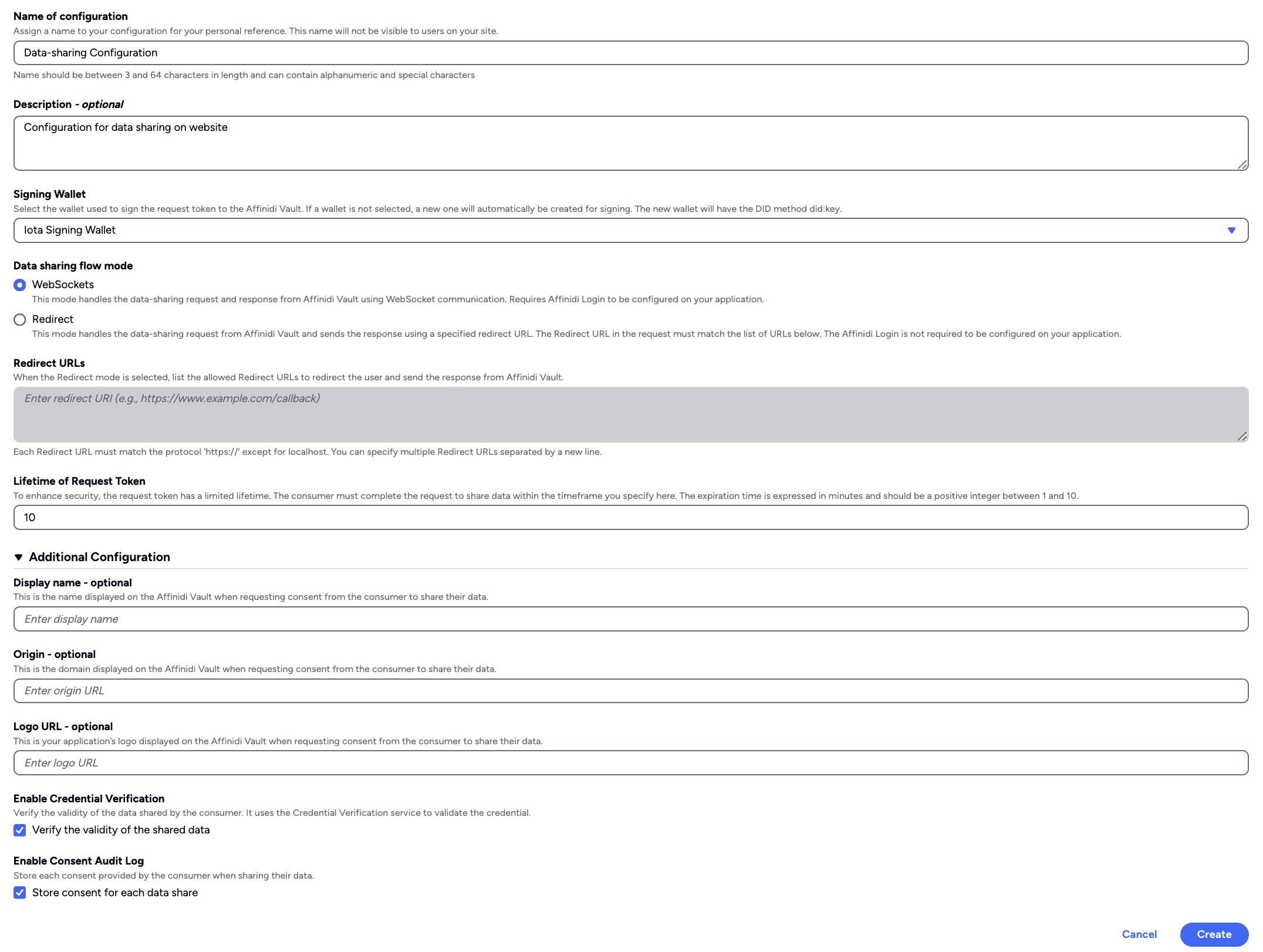
- Add the signing wallet and any additional options.
- Click Create to complete setup.
After creating your configuration, add the credential queries that request data from users. Manage them in the Credential queries section of the configuration’s page. Select Create Credential Query to add the first query, or Edit to change existing ones.
- Choose the Query Format:
- PEX: a presentation definition in the Presentation Exchange format.
- DCQL: the query language of the OpenID for Verifiable Presentations (OID4VP) standard. DCQL works with configurations whose Integration Mode is Affinidi TDK Vault. For a configuration that uses Affinidi Vault, choose PEX.
- Enter a Name for the query.
- Write the query, or start from a template with Load Query Template and change it to request the data you need.
- Select Add to create more queries.
- Select Save all changes.
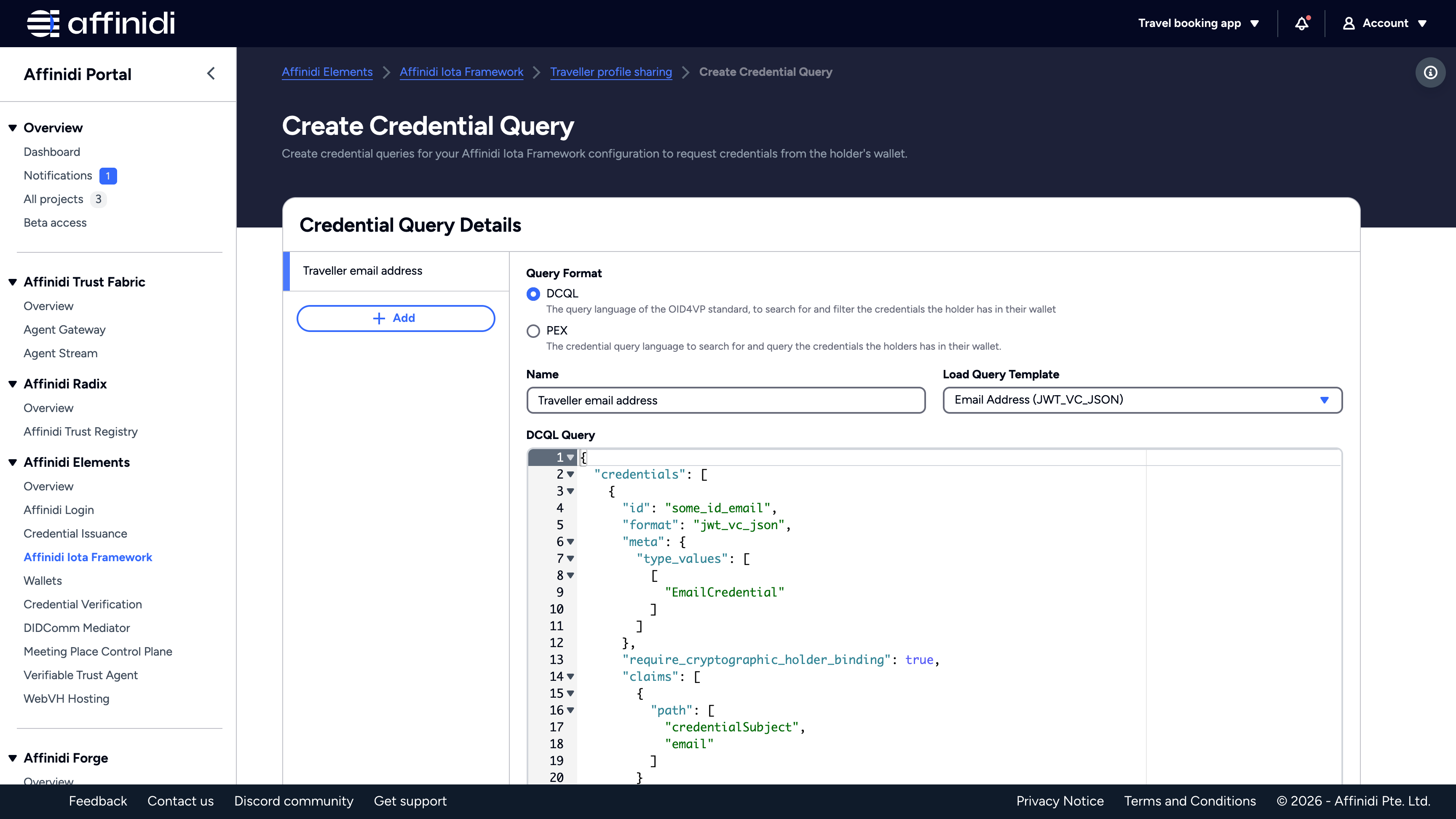
Each credential query generates a Query ID. Use this ID to retrieve the query and generate a request token to access data from the user’s wallet.
Note
You can only create up to 10 Configurations per Project. If you wish to create more than 10 Configurations, you must create a new Project.Test your configuration
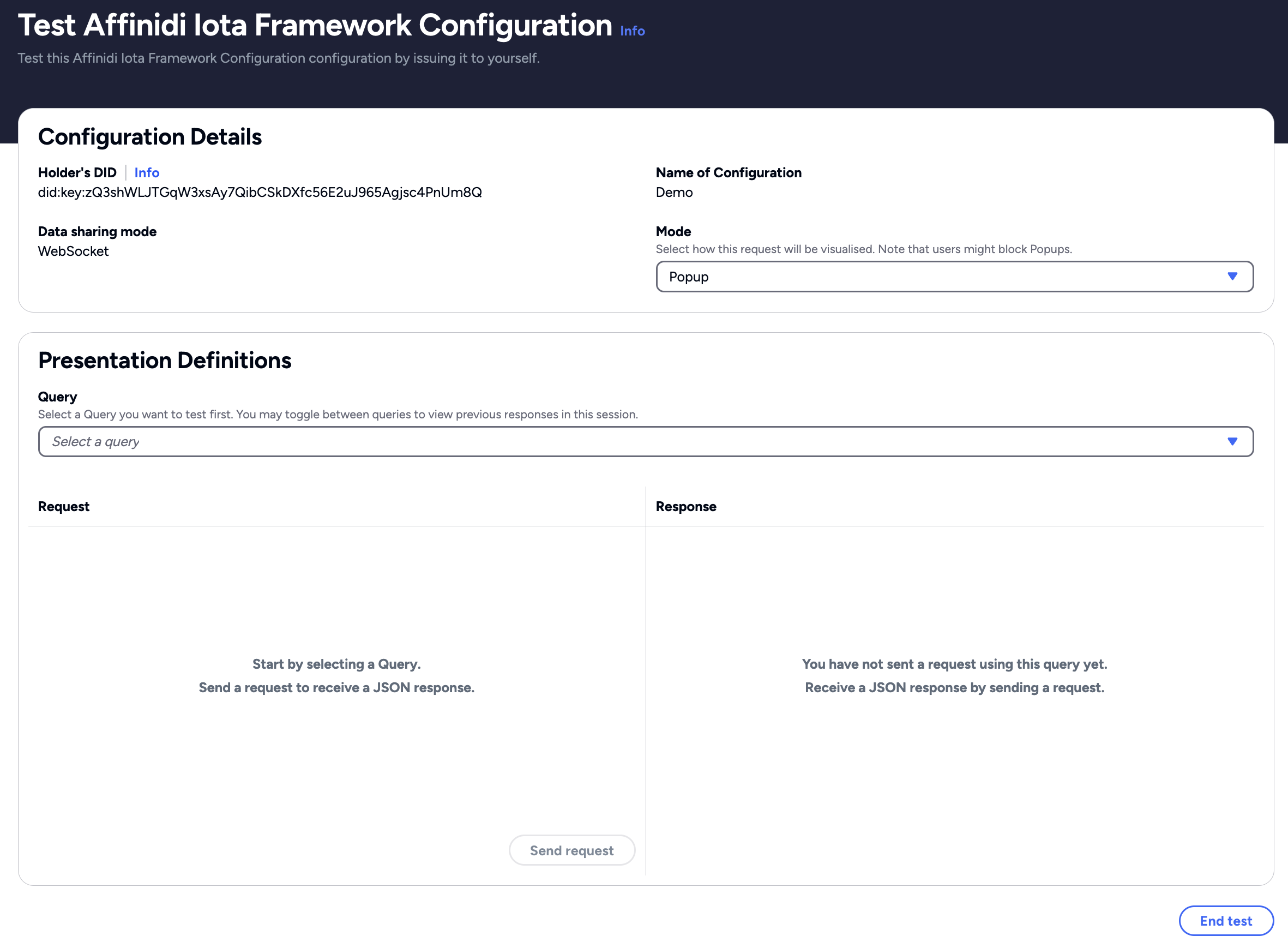
After creating the configuration and its credential queries, you can test your queries:
- Click Test on the overview page.
- Select a query and click Send request.
This initiates a data-sharing request to Affinidi Vault and returns a sample response.
Testing helps optimise queries and ensures correct data parsing before integration.
What’s next
Glad to hear it! Please tell us how we can improve more.
Sorry to hear that. Please tell us how we can improve.
Thank you for sharing your feedback so we can improve your experience.