Credential Issuance overview
The Credential Issuance service lets users claim Verifiable Credentials (VCs) in their digital wallets, such as Affinidi Vault.
The service implements the OpenID for Verifiable Credential Issuance (OID4VCI) specification, which uses OAuth 2.0 to securely authorise and deliver credential offers. Users store accepted credentials in their Affinidi Vault.
With Credential Issuance, you:
- Sign credentials with any of the supported wallets (DID methods).
- Issue credentials in the W3C Verifiable Credential format, with the schemas you define for your issuance flow.
Credential Issuance configuration
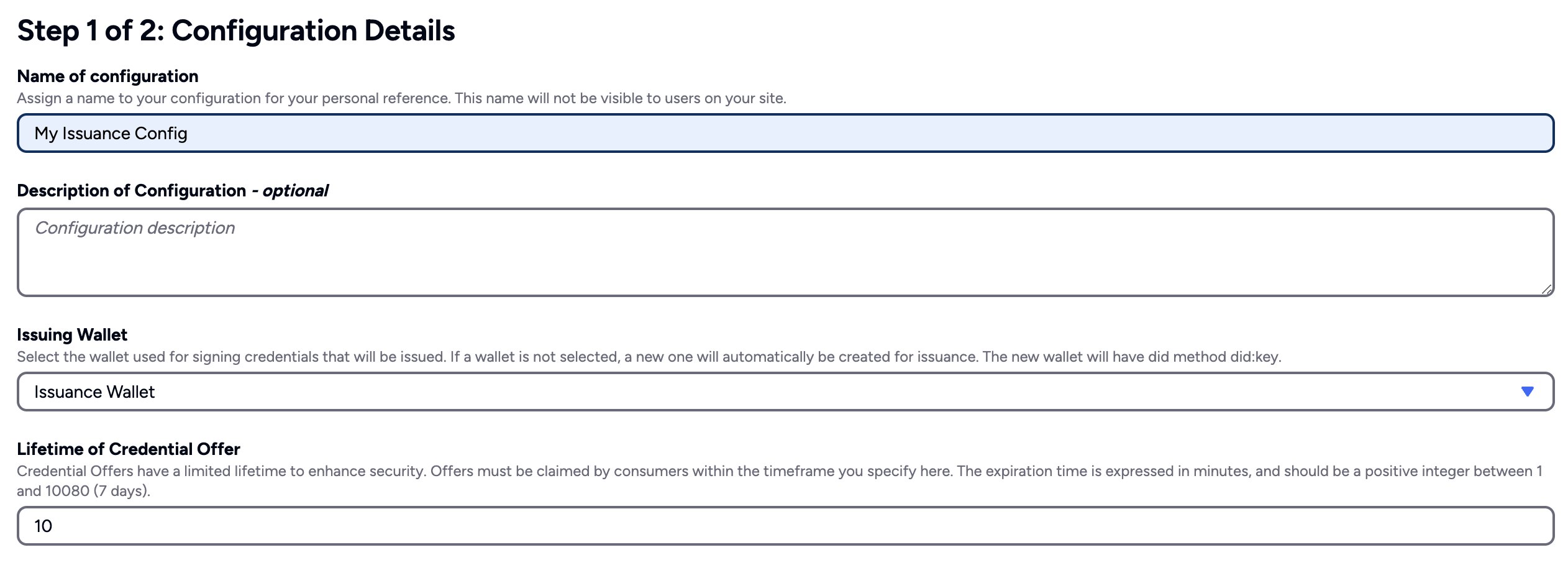
Before integrating, create a configuration that includes the Wallet to cryptographically sign the VC and supported schemas for credential types.
Schemas define the data structure required to create a credential offer.
Credential offer
Before users can claim Verifiable Credentials (VCs) in their digital wallets, your application must first create a credential offer. This offer includes the user’s claims, the method for claiming the credential (defined by the claim mode), and whether the credential is revocable.
For example, if you’re running an online course platform, you can issue a credential that verifies a student has completed a course.
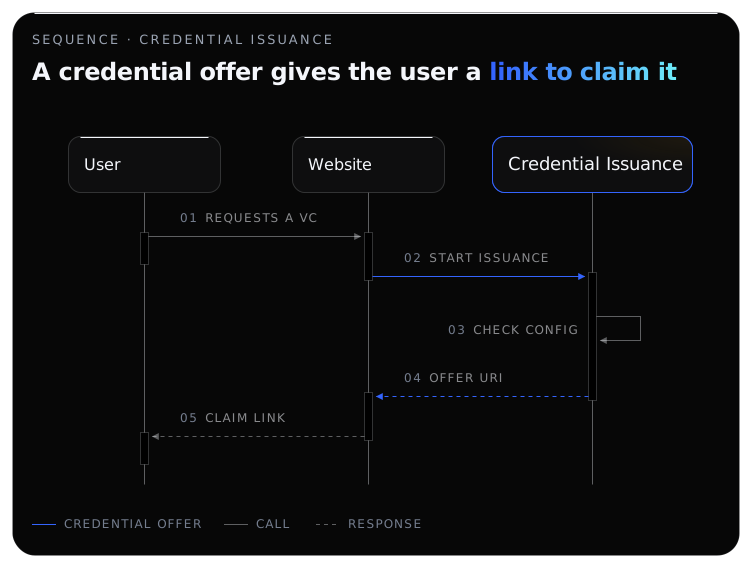
In the diagram below, your application calls the Credential Issuance service to start an issuance with the course and user details. The service checks the request against your Issuance Configuration and returns a credential offer URI, plus a transaction code when the claim mode is TX_CODE, which your application sends to the user so they can claim the credential from Affinidi Vault.
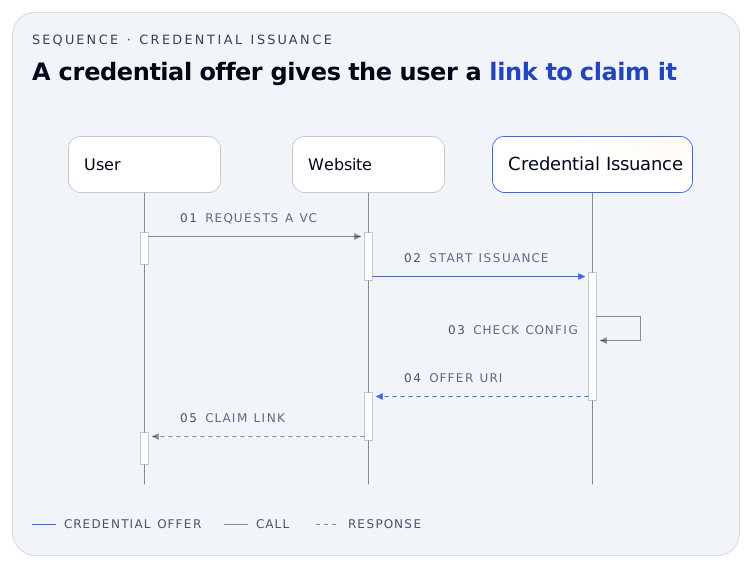
Ensure that you present or send the URL to claim the credential offer, including the transaction code if generated securely by the user.
Claim modes
When creating a credential offer, set the claim mode (claimMode) to choose how the user retrieves and claims the credential to store it in their Affinidi Vault. The default is FIXED_HOLDER.
Supported claim modes in Credential Issuance:
- TX_CODE generates a transaction code that must be shared securely with the user. The user must enter the generated transaction code to retrieve and claim the credential. When creating a credential offer with
TX_CODEas the claim mode, the user’s Decentralised Identifier (DID) is optional.
The claim process validates the DID of the current user’s Affinidi Vault if the holderDid value is present in the credential offer regardless of the claim mode. It throws an error if the DID does not match.
FIXED_HOLDER does not generate a transaction code but requires the user’s Decentralised Identifier (DID) when creating the credential offer. The Credential Issuance service will validate if the DID of the current user claiming the credential matches the DID on the credential offer.
To get the user’s DID, implement Affinidi Login to authenticate and extract the user’s DID value from the ID Token provided.
Credential offer claim flow
The credential offer is only valid for claims based on the Lifetime of the Credential Offer configured in the Credential Issuance configuration. If the user fails to claim the offer by this time, your application must create a new credential offer.
When the user opens the claim link, it takes them to their Affinidi Vault, which follows the OID4VCI specification:
- The Vault fetches the credential offer.
- It exchanges the offer’s pre-authorized code, with the transaction code in
TX_CODEmode, for an access token at the issuer’s token endpoint. - It requests the credential with the access token and a proof of its DID.
- Credential Issuance checks the proof and returns the credential, signed with the wallet in your configuration.
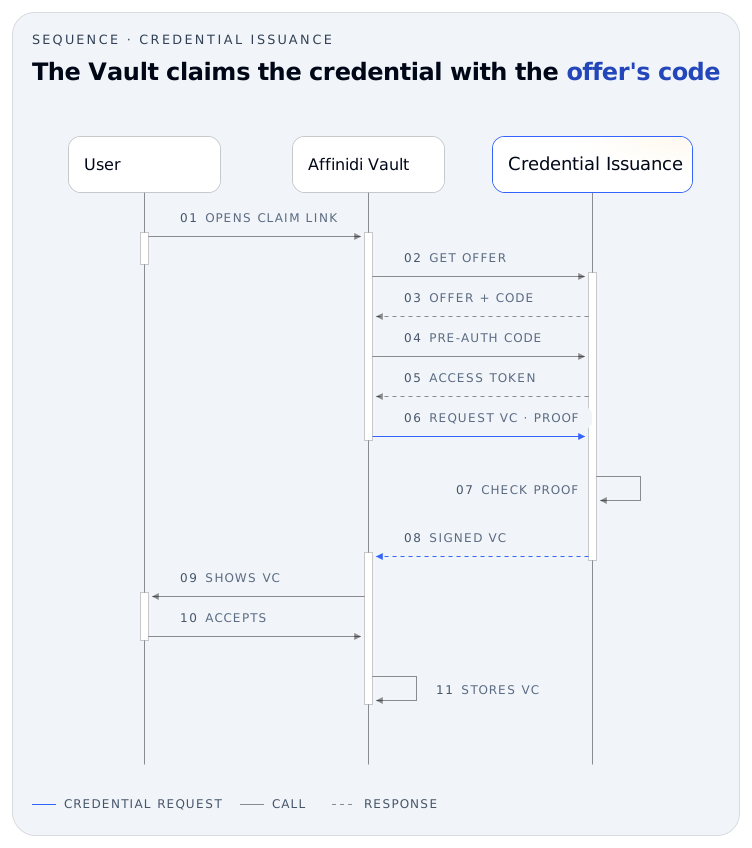
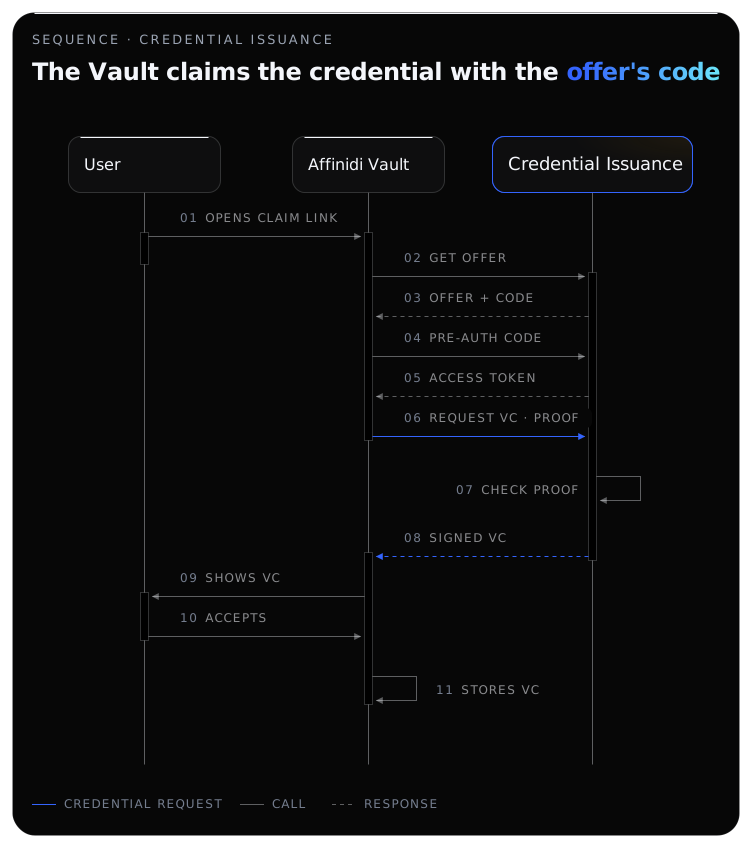
After the user accepts the credential, it is securely stored in their Affinidi Vault, and can be shared later when requested.
Users can claim each credential only once per link. They can duplicate the claimed Verifiable Credential (VC) into different profiles within their Affinidi Vault.
What’s next
Works with
Glad to hear it. Thanks for letting us know.
Sorry to hear that. Thanks for letting us know.
Still stuck? Ask the community on Discord or contact us.