Affinidi Portal (Affinidi-hosted)
Affinidi-hosted DIDComm Mediator is in Beta Programme. To get access, join the Beta Programme.
Using the managed DIDComm Mediator removes the need to maintain self-hosted infrastructure. It enables deployment with customisable configurations and offers predefined appliance sizes such as development, small, medium, or large.
Sign in to the Affinidi Portal and follow these steps.
1. Create mediator configuration
Sign in to Affinidi Portal and select the project where you want to set up the DIDComm Mediator. If you are new to the Affinidi Portal, it automatically creates a default project for you.
Go to Affinidi Messaging and click Create configuration.
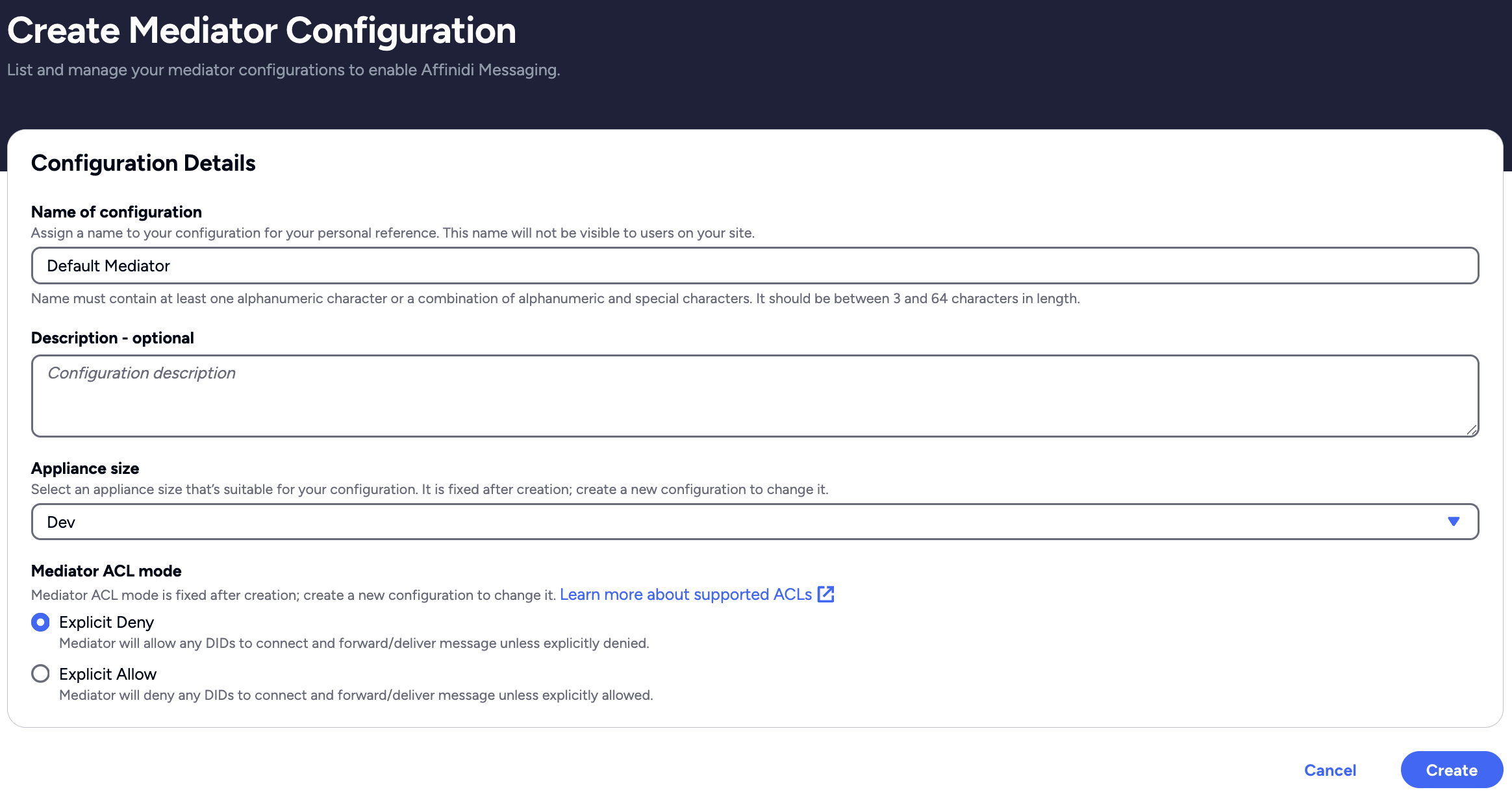
Create Mediator Configuration page
- Set the following details to create the instance.
| Field | Description |
|---|---|
| Name | A friendly label for your mediator instance (helps with identification in the portal). Autogenerates if blank. (e.g., “local-mediator”). |
| Description [Optional] | A short note on the purpose of creating the mediator’s instance. |
| Appliance Size | The server size for hosting the mediator. Options are Dev, Small, Medium, and Large depending on your workload. You cannot update this field after creating the configuration. |
| ACL Mode | Sets the default access policy. Explicit Deny (default) allows all DIDs unless denied. Explicit Allow requires adding specific DIDs to authenticate and connect. You cannot update this field after creating the configuration. |
Review your settings for the mediator configuration and click on Create. Deployment typically takes 2-5 minutes.
Once deployment is complete, Affinidi Portal displays the following details required to integrate with the DIDComm Mediator.
| Field | Description |
|---|---|
| Mediator DID | The Decentralised Identifier (DID) assigned to the mediator used to authenticate, connect, and send/receive messages. |
| Mediator URL | The URL to the mediator’s DID document. |
By default, the DIDComm Mediator server enforces a MODE_EXPLICIT_ALLOW policy at the DID-level ACL. This policy permits message delivery only from explicitly authorised DIDs. Enforcing this policy helps prevent unsolicited communication and reduces the risk of spam from unknown or untrusted DIDs.
2. Test mediator connection
After deployment, refer to Test Mediator Connection, which contains options for verifying your deployment and configuration.
What’s next
Glad to hear it. Thanks for letting us know.
Sorry to hear that. Thanks for letting us know.