Navigation
Affinidi Portal has a sidebar of product sections on the left, a top bar for your projects and account, and a Dashboard that opens after you sign in.
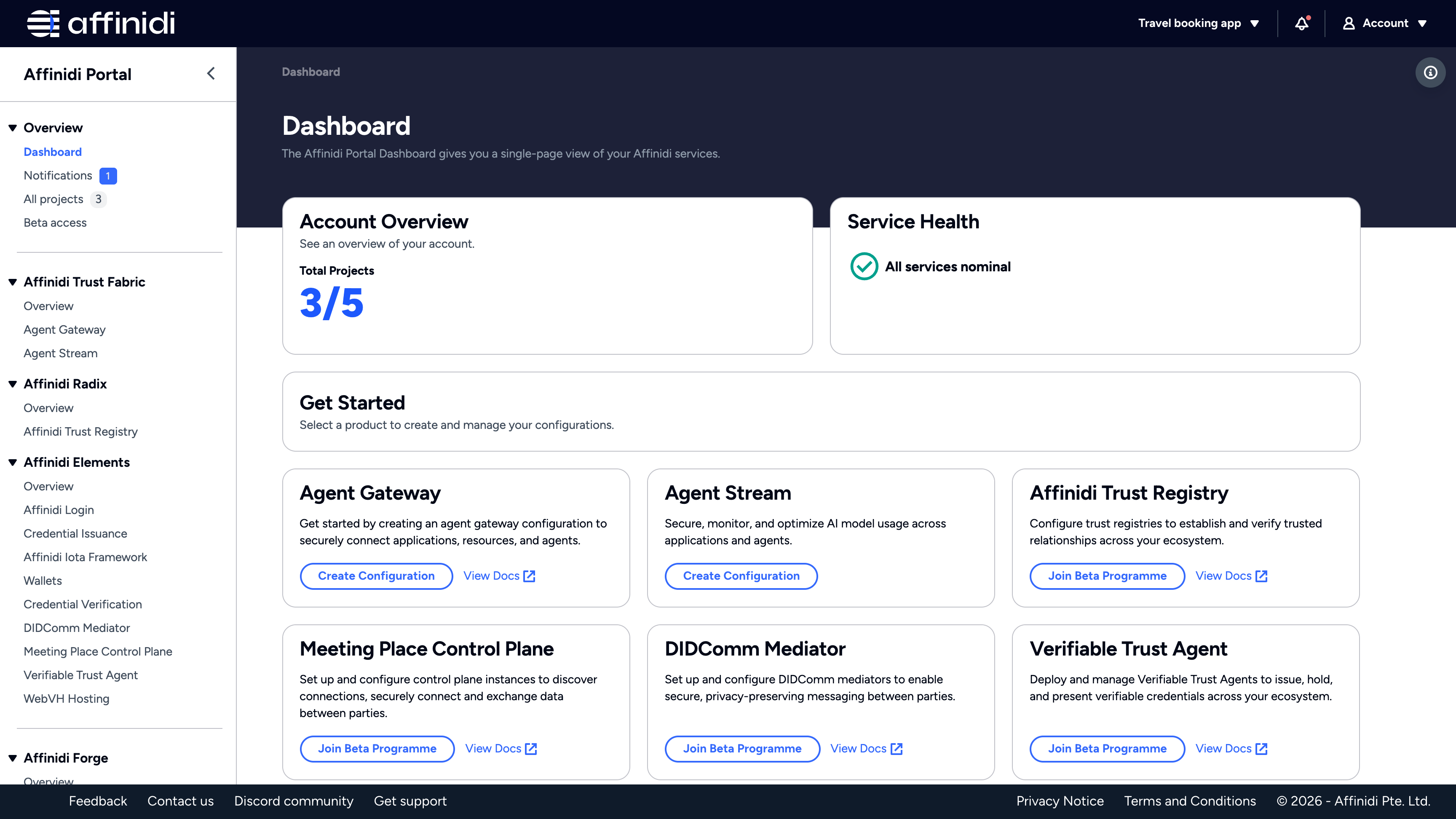
Sidebar
Every product page in the sidebar shows the resources of your active project. See Projects and access. Select a product to open its page, then follow its docs to configure it.
Overview
- Dashboard: a summary of your account. See Dashboard.
- Notifications: messages from Affinidi, with a count of unread ones. See Notifications.
- All projects: every project you own or can access. See Work with projects.
- Beta access: the Early Access Programmes you can join, and the project each one is activated on. See Get early access to a product.
Affinidi Trust Fabric
Affinidi Radix
Affinidi Elements
Affinidi Forge
Support
Contact us, Documentation, Discord community, and Get support open in a new tab.
Each product section also starts with an Overview page that introduces its products. Some products appear in the sidebar only when they are enabled for your account.
Top bar
| Control | What it does |
|---|---|
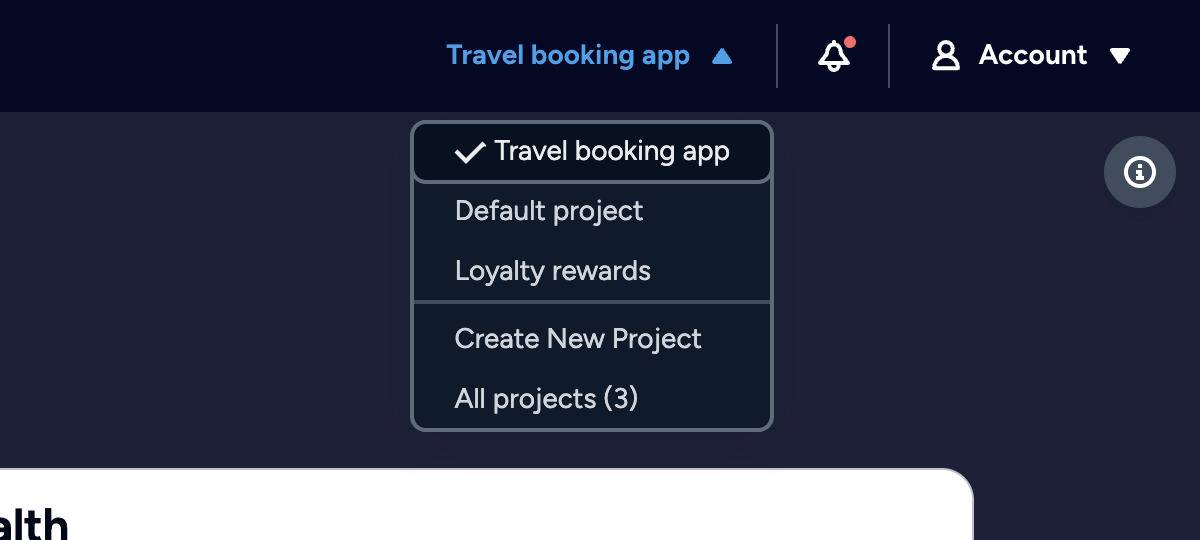
| Project switcher | Shows the name of your active project. Open it to switch project, select Create New Project, or select All projects to see the full list. |
| Notifications (bell icon) | Opens your latest notifications. Select See all notifications to open the Notifications page. |
| Account | Opens a menu with Account Info, Show appliance counts, Support, and Logout. Account Info also holds Authentication methods. |
Account Info shows your User Principal ID. Select it to copy the value. See Account Info. Under it, Authentication methods opens the page where you link sign-in providers and passkeys. See Manage your sign-in methods.
Show appliance counts is on by default. It adds the number of configurations in your active project to each appliance product in the sidebar, such as Agent Gateway or Verifiable Trust Agent. Select it to turn the counts off or on.
Dashboard
The Dashboard gives you a single-page view of your Affinidi services.
| Section | What it shows |
|---|---|
| Account Overview | Under Total Projects, the number of projects in your list, including shared ones, next to the 5 you can own. Select it to open All projects. |
| Service Health | The current status of Affinidi services, for example “All services nominal”. |
| Get Started | A card for each appliance product, with a button to start. See Get Started cards. |
Get Started cards
| Product | Button |
|---|---|
| Agent Gateway, Agent Stream | Create Configuration, or Manage Configuration once the project has a configuration. |
| Verifiable Trust Agent, WebVH Hosting | Join Beta Programme, or Create Configuration once the project has early access. |
| Affinidi Trust Registry, Meeting Place Control Plane, DIDComm Mediator | Join Beta Programme. |
For how early access works, see Get early access to a product.
Notifications
Affinidi sends notifications about your projects, such as a welcome message for your first project or a warning that your Affinidi Credits are low. A dot marks each unread notification.
The Notifications page lists every notification with its Title, Project, Message, and Sent time. To act on notifications:
- Use the icons in a row’s Actions column to mark that notification as read or delete it.
- Select several rows, then select Mark As Read or Delete above the list.
Related
Glad to hear it. Thanks for letting us know.
Sorry to hear that. Thanks for letting us know.